




Instagram Ka Title: How to Choose, Write and Change It
Your Instagram title is the first thing people see. It decides whether they tap your profile or scroll past.
Table Of Content
- Instagram Ka Title: How to Choose, Write and Change It
- What Is Instagram Ka Title?
- Username vs. Display Name: Key Differences
- How to Choose the Right Instagram Title
- Keep It Short
- Make It Easy to Say Out Loud
- Match Your Niche
- Stay Consistent Across Platforms
- Skip Too Many Symbols and Numbers
- How to Change Your Instagram Name and Username
- Instagram Title Ideas by Niche
- How to Write a Highlight Title
- How to Add a Title to Instagram Live
- Using Keywords in Your Instagram Title
- Common Instagram Title Mistakes
- Final Thoughts
- Frequently Asked Questions
Many users search for “instagram ka title” because they are confused. Should it be the username? The name under your photo? The headline in your bio? This guide explains each one in plain language and shows you how to set it up properly.
What Is Instagram Ka Title?

Instagram has no single field called “title.” When people say instagram ka title, they usually mean one of four things:
Username (handle): the unique @name in your profile link
Display name: the bold name shown on your profile
Bio headline: the first line of your bio
Highlight or Live title: the short label under a Story Highlight, or the title added before an Instagram Live
Each one has a different job, so it helps to treat them separately.
Username vs. Display Name: Key Differences
This is the most common confusion, so here it is side by side.
| Feature | Username | Display Name |
|---|---|---|
| Must be unique | Yes | No |
| Allowed characters | Letters, numbers, periods, underscores | Letters, numbers, spaces, emojis, symbols |
| Maximum length | 30 characters | 30 characters |
| Appears in profile link | Yes | No |
| Helps search | Yes | Yes, strongly |
Put your main keyword in the display name. Instagram search reads it, and it does not need to be unique.
How to Choose the Right Instagram Title
A good title is easy to read, easy to remember and easy to spell. Follow these rules.
Keep It Short
Short names fit on screens and are simple to type. Aim for under 15 characters in your username.
Make It Easy to Say Out Loud
If a friend cannot spell it after hearing it once, people will struggle to find you. Avoid long number strings and odd spellings.
Match Your Niche
A reader should understand what you do from the name alone. A photographer might use “Ali | Wedding Photographer” as a display name. A baker could use “Sara’s Cake Studio.”
Stay Consistent Across Platforms
Use the same handle on Instagram, YouTube and Facebook where possible. It builds trust and makes you easier to find.
Skip Too Many Symbols and Numbers
Long number strings look like spam or a throwaway account. One or two numbers is fine if your preferred name is taken.
How to Change Your Instagram Name and Username
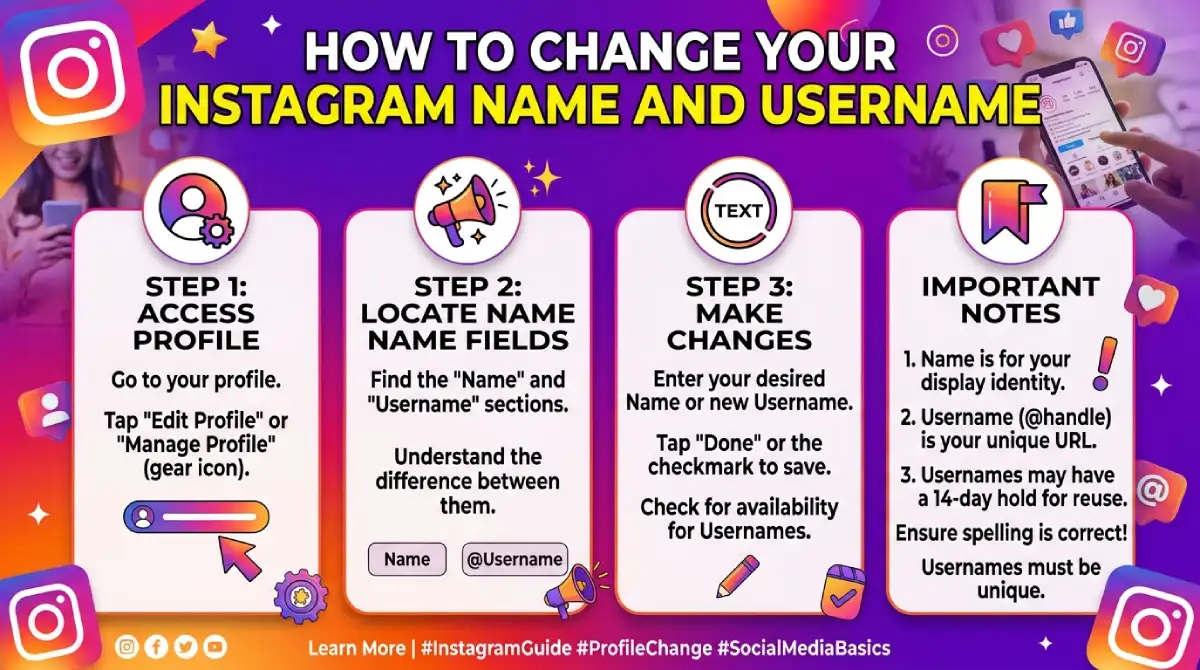
Follow these steps in the mobile app.
Open Instagram and tap your profile picture (bottom right).Tap Edit profile.
Tap Name to change your display name, or Username to change your handle.
Type the new text.
Tap Done (or Save) to confirm.
Good to know:
If the username is taken, Instagram will tell you right away.
Changing your username also changes your profile link, so update it anywhere you have shared it.
After a username change, your old handle can become available to others. You may be able to switch back within a short window if nobody has claimed it.
Instagram Title Ideas by Niche
Use these as starting patterns, not copy-paste names. Always check availability first.
| Niche | Display Name Pattern | Example |
|---|---|---|
| Fitness | Name + Fitness Coach | Hamza | Fitness Coach |
| Food | Brand + Food Type | Zara's Home Kitchen |
| Fashion | Name + Style | Ayesha Styles |
| Travel | Name + Travel | Wander with Bilal |
| Business | Brand + Service | BrightPixel Design |
| Education | Name + Subject | Math with Sir Afzal |
How to Write a Highlight Title
Highlight titles sit under your profile photo, and space is tight. Only about the first 15 characters usually show before they get cut off.
Use one or two words: Reviews, Offers, About, Travel
Put the main word first
Keep the style the same across all highlights
Add a simple emoji only if it helps meaning
How to Add a Title to Instagram Live
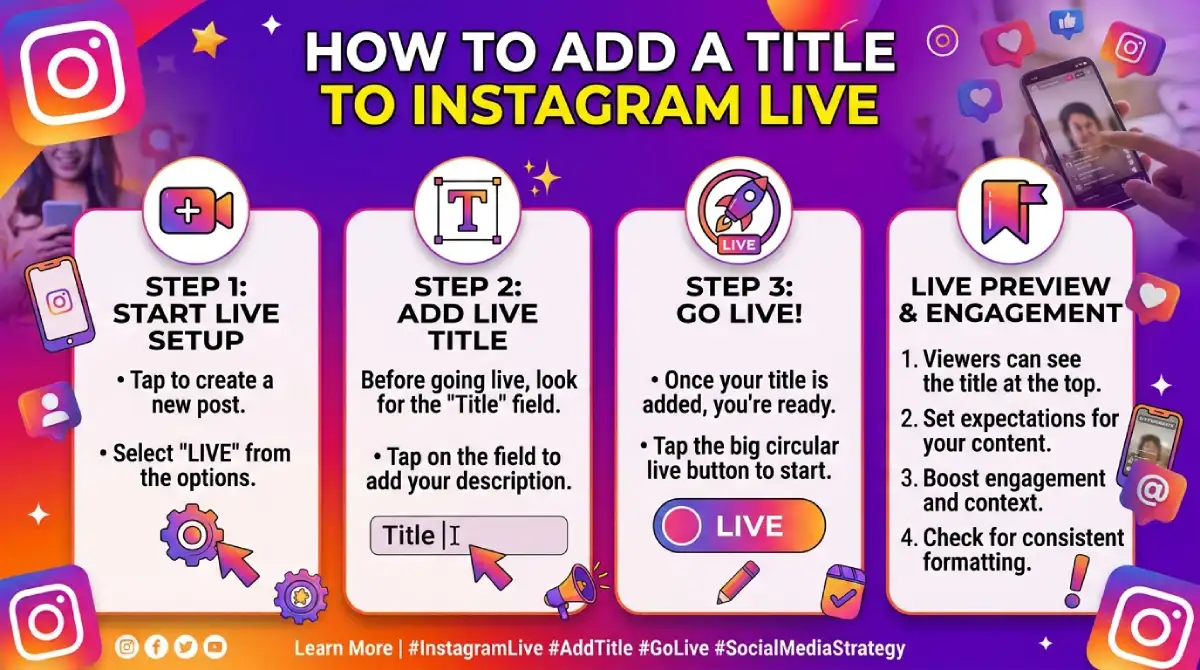
Before you go live, you can tell viewers what the session is about.
Open the Instagram camera and swipe to Live.
Tap the title icon on the screen.
Type a short, clear title, such as
“Q&A: Beginner Skincare.”Start your Live.
A clear title tells people why they should join, so use a benefit rather than a vague word like “Hello.”
Using Keywords in Your Instagram Title
Instagram search now works much like a small search engine. Your name and bio help it understand what your account is about.
Do this:
Add one main keyword to your display name, such as “Makeup Artist” or “Digital Marketer”
Use your city if you serve a local audience
Repeat the same topic in your bio and posts
Avoid this:
Stuffing several keywords into the name
Using misleading words just to get traffic
Copying another account’s name
Common Instagram Title Mistakes
Choosing a name that is hard to spell
Using too many underscores or periods
Changing the username often, which confuses followers
Writing a display name with no clue about your niche
Making highlight titles too long
Final Thoughts
Your Instagram title is a small piece of text with a big effect. Pick a username that is simple and consistent, use your display name to say what you do, and keep your highlight titles short. Review your name once in a while, but avoid changing it too often. Steady branding is what makes followers remember you.
Frequently Asked Questions
What is Instagram ka title?
It usually means your Instagram name, either the unique username or the display name shown on your profile. It can also mean a Highlight or Live title.
Can I change my Instagram title anytime?
You can change your username whenever you like. The display name can be changed only twice within 14 days.
Is the Instagram username the same as the name?
No. The username is unique and appears in your link, while the display name can be shared by other people and is used for search.
How many characters are allowed in an Instagram name?
Both the username and the display name allow up to 30 characters.
Which Instagram name is best for search?
Your display name matters most for search, so add your main keyword there. Keep your username short and brandable.
Will I lose followers if I change my username?
Not usually, but people may find it harder to recognize you at first. Tell your followers about the change in a post or Story.
How long should a Highlight title be?
Keep it to one or two words, about 15 characters. Anything longer gets cut off.

Emma Carter is a social media content writer and Instagram enthusiast who loves creating creative, stylish, and unique bio ideas. She helps Instagram users find the perfect words to express their personality, mood, style, and vibe.
At Bios4IG, Emma shares fresh Instagram bio ideas, captions, and profile inspiration designed to make your Instagram profile stand out.





No Comment! Be the first one.