




Instagram Bio Design: 7 Steps to a Profile That Converts
Your Instagram bio is the first thing a stranger reads after tapping your profile. You get about 150 characters to say who you are, what you offer, and why they should follow you.
Table Of Content
- Instagram Bio Design: 7 Steps to a Profile That Converts
- What Is Instagram Bio Design?
- Why Your Bio Design Matters
- 7 Steps to Design a Better Instagram Bio
- Define Who the Bio Is For
- Add Keywords to Your Name Field
- Write a Clear Value Statement
- Use Line Breaks for Easy Scanning
- Choose Emojis With Purpose
- Finish With a Strong CTA
- Match Your Highlights and Profile Picture
- Instagram Bio Design Mistakes to Avoid
- Quick Bio Design Checklist
- How to Test and Improve Your Bio
- Frequently Asked Questions
- Conclusion
That is not much space. Good Instagram bio design makes every character count.
I have tested bio layouts for personal brands and small business accounts, and the pattern is always the same. The bios that win are clear, scannable, and end with one obvious next step. This guide shows you exactly how to build one.
What Is Instagram Bio Design?
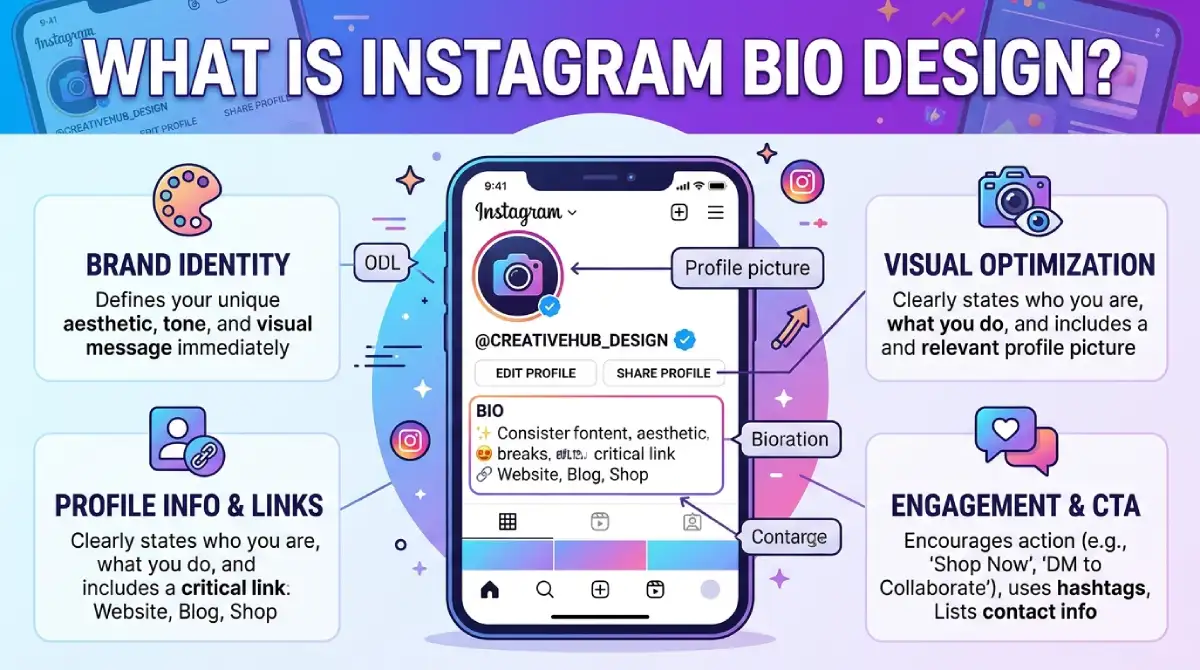
Instagram bio design is the way you arrange text, emojis, spacing, keywords and links inside your profile to create a clear first impression. It covers the name field, username, bio text, link and Story Highlights as one connected package.
Think of it as a mini landing page. Visitors decide in seconds whether to follow, click or leave.
Why Your Bio Design Matters
A well-designed bio does three jobs at once:
Explains what your account is about
Builds trust through a consistent look and tone
Drives action with a clear call to action (CTA)
A messy bio makes people guess. Confused visitors rarely follow.
7 Steps to Design a Better Instagram Bio
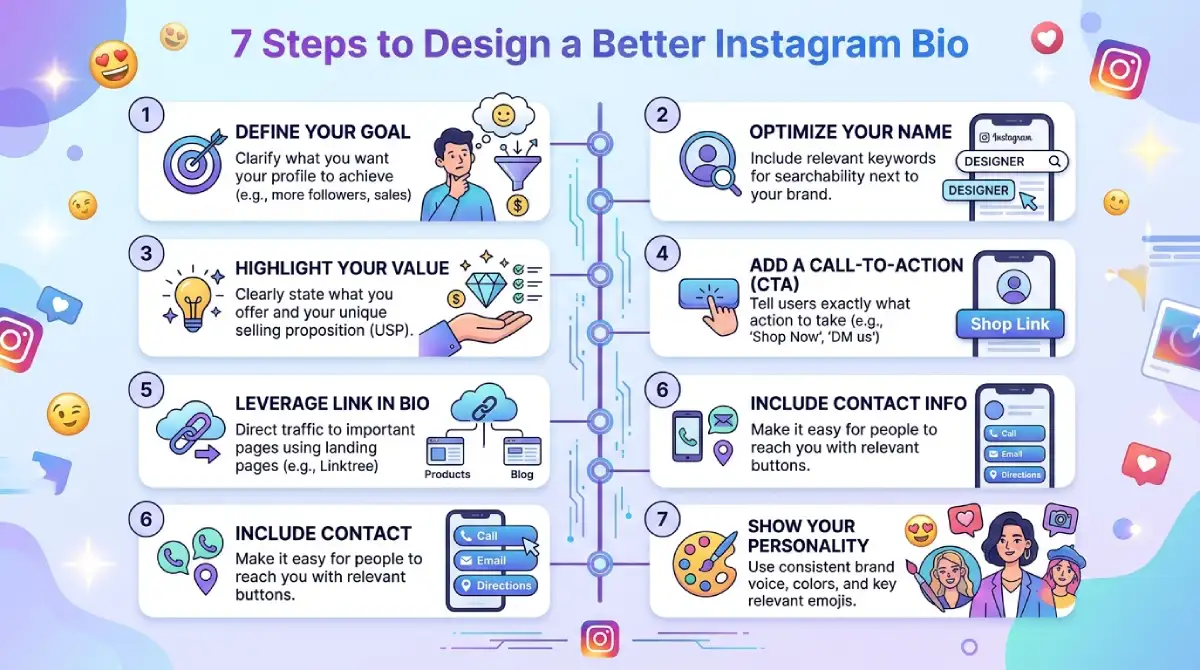
Define Who the Bio Is For
Pick one audience before typing a word. A bio that tries to speak to everyone connects with no one.
Ask yourself: who should hit Follow, and what problem do I solve for them?
Add Keywords to Your Name Field
Instagram search reads your name field, so use it. Instead of only “Sara Khan,” try “Sara Khan | Wedding Photographer.”
Put your main keyword first and your location second if you serve a local area.
Write a Clear Value Statement
Tell visitors what they get. Skip vague lines like “living my best life” unless your brand truly runs on mood.
Use this simple formula:
Who you help (or what you do)
How you help (your result or style)
Proof or personality (a number, an award, a quirky detail)
Use Line Breaks for Easy Scanning
Short lines beat one long block of text. Break your bio into three or four lines so eyes can move quickly.
A clean structure looks like this:
Line 1: What you do
Line 2: Who it is for or your proof
Line 3: Your CTA
Choose Emojis With Purpose
Emojis act as visual bullet points. They add color and guide the eye.
Use two to four at most, and keep them related to your niche. A camera for a photographer, a leaf for a wellness coach. Too many emojis look cluttered and can hide your message.
Finish With a Strong CTA
Every bio needs a next step. Tell people exactly what to do, then point to your link.
Effective CTAs include:
Book a free call 👇
Shop the new drop 👇
Get the free guide 👇
Join 2,000 readers 👇
Match Your Highlights and Profile Picture
Your bio does not work alone. Use the same colors and fonts across Story Highlight covers so the profile feels like one brand.
Pick a profile picture that stays readable at a very small size.
Instagram Bio Design Mistakes to Avoid
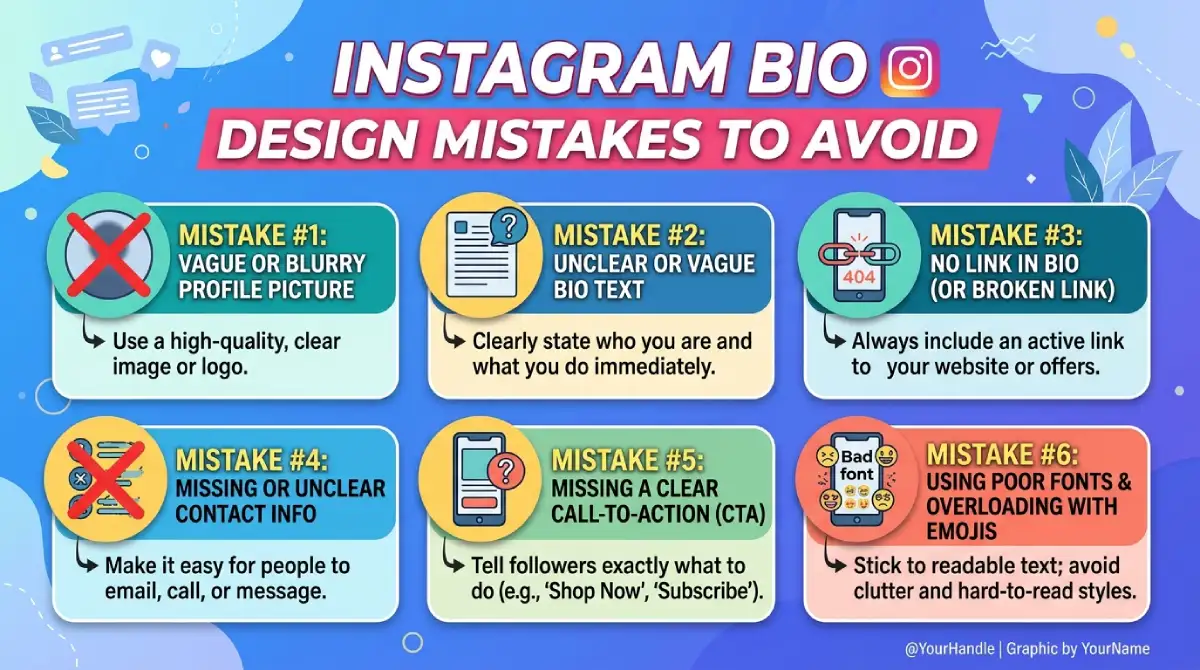
Small errors cost you followers. Watch for these:
Fancy font generators overused. Special Unicode fonts can be hard to read and may not work with screen readers, so use them sparingly.
Too many links or hashtags. Pick one clear goal.
Copying a competitor. Visitors can tell, and it weakens trust.
Outdated info. Old promotions and dead links hurt credibility.
No CTA. Without direction, people simply scroll away.
Quick Bio Design Checklist
Run through this list before you save:
Does my name field include a keyword?
Can a stranger understand what I do in five seconds?
Is the text broken into short lines?
Do I use only a few relevant emojis?
Is there one clear CTA and a working link?
Do my profile picture and Highlights match?
If you answered yes to all six, your design is in good shape.
How to Test and Improve Your Bio
Do not treat your bio as a one-time task. Check Instagram Insights for profile visits, follows and link taps. Change one element at a time, wait a week or two, then compare the numbers.
A simple habit works well: review your bio once a month and refresh it whenever your offer changes.
Frequently Asked Questions
How long should an Instagram bio be?
Instagram allows up to 150 characters. Aim to use most of that space, but stay clear and short.
How do I make my Instagram bio look aesthetic?
Use short lines, a few simple emojis and a consistent tone. Match your bio to your profile picture and Highlight covers.
Should I use emojis in my Instagram bio?
Yes, but sparingly. Two to four relevant emojis make a bio easier to scan without crowding the text.
What should I put in my name field?
Add your name plus a keyword that describes what you do. This helps people find you in Instagram search.
How often should I update my Instagram bio?
Review it monthly and update it whenever you launch something new or change your goals.
Conclusion
Strong Instagram bio design comes down to clarity. Know your audience, add a keyword to your name, write a short value statement, use line breaks and emojis wisely, and close with a clear CTA.
Open your profile today and apply the seven steps above. Then track your results and keep improving, because the best bios evolve with your brand.

Emma Carter is a social media content writer and Instagram enthusiast who loves creating creative, stylish, and unique bio ideas. She helps Instagram users find the perfect words to express their personality, mood, style, and vibe.
At Bios4IG, Emma shares fresh Instagram bio ideas, captions, and profile inspiration designed to make your Instagram profile stand out.




No Comment! Be the first one.