



Welcome to My Profile Stylish Name: Ideas, Styles and Tips
Your profile is the first thing people see. Before they read a single post, they notice your name and your bio line. A plain “Welcome to my profile” works, but a stylish version makes people stop and look.
Table Of Content
- Welcome to My Profile Stylish Name: Ideas, Styles and Tips
- What Is a “Welcome to My Profile” Stylish Name?
- Why a Stylish Profile Name Matters
- Stylish “Welcome to My Profile” Ideas You Can Copy
- For Boys and Attitude Profiles
- For Girls and Aesthetic Profiles
- For Gamers
- For Business and Creators
- How to Create Your Own Stylish Name in 5 Steps
- Where Can You Use Stylish Names?
- Common Mistakes to Avoid
- Conclusion
- FAQs
In this guide, you will find ready-to-use stylish name ideas, popular text styles, and a simple method to build your own. Everything here is easy to copy, paste and customize.
What Is a “Welcome to My Profile” Stylish Name?

A stylish name is a name or welcome line written in a decorative way. It usually uses Unicode characters, symbols, or emojis instead of normal letters.
For example, plain text looks like this: Welcome to my profile. A stylish version can look like this:
𝓦𝓮𝓵𝓬𝓸𝓶𝓮 𝓽𝓸 𝓶𝔂 𝓹𝓻𝓸𝓯𝓲𝓵𝓮.
People use these lines in three main places:
Display names and nicknames
Bio and “About me” sections
Channel titles, gaming tags and community profiles
Why a Stylish Profile Name Matters
Your name works like a digital handshake. It tells visitors who you are and what to expect from your content.
Here is why it is worth the effort:
First impression: A clear, styled name stands out in a crowded feed.
Personal branding: A consistent style makes you easier to recognize.
Better engagement: Visitors remember a name with personality.
Self-expression: It shows your mood, hobby or attitude in a few words.
In my own testing across Instagram, WhatsApp and gaming apps, short styled names were remembered far more often than long, messy ones. Simple usually wins.
Stylish “Welcome to My Profile” Ideas You Can Copy
For Boys and Attitude Profiles
꧁Welcome to My World
⚡ King of My Own Story ⚡
𝕎𝕖𝕝𝕔𝕠𝕞𝕖 𝕥𝕠 𝕥𝕙𝕖 𝕄𝕚𝕟𝕕 𝕆𝕗 𝕄𝕖
★ Enter at Your Own Risk ★
☬ Silent Player, Loud Results ☬
For Girls and Aesthetic Profiles
✨ Welcome to My Little Universe ✨
𝓗𝓮𝔂 𝓽𝓱𝓮𝓻𝓮, 𝓼𝓽𝓪𝔂 𝓪 𝔀𝓱𝓲𝓵𝓮
❀ Soft Heart, Bold Vibes ❀
☁️ Dreamer Living in Colors ☁️
𝒲𝑒𝓁𝒸𝑜𝓂𝑒 𝓉𝑜 𝓂𝓎 𝓅𝑒𝒶𝒸𝑒𝒻𝓊𝓁 𝓅𝓁𝒶𝒸𝑒
For Gamers
🎮 Welcome to My Arena 🎮
𝔊𝔞𝔪𝔢 𝔒𝔫, 𝔖𝔱𝔞𝔶 𝔖𝔥𝔞𝔯𝔭
⚔ Level Up With Me ⚔
ᴘʀᴏ ᴘʟᴀʏᴇʀ ɪɴ ᴛʜᴇ ᴢᴏɴᴇ
For Business and Creators
𝗪𝗲𝗹𝗰𝗼𝗺𝗲, 𝗜’𝗺 [Your Name]
📌 Helping You Learn One Post at a Time
ᴡᴇʟᴄᴏᴍᴇ | ᴅᴇꜱɪɢɴ ᴀɴᴅ ɪᴅᴇᴀꜱ ʜᴇʀᴇ
✔ Real Tips. No Fluff.
How to Create Your Own Stylish Name in 5 Steps
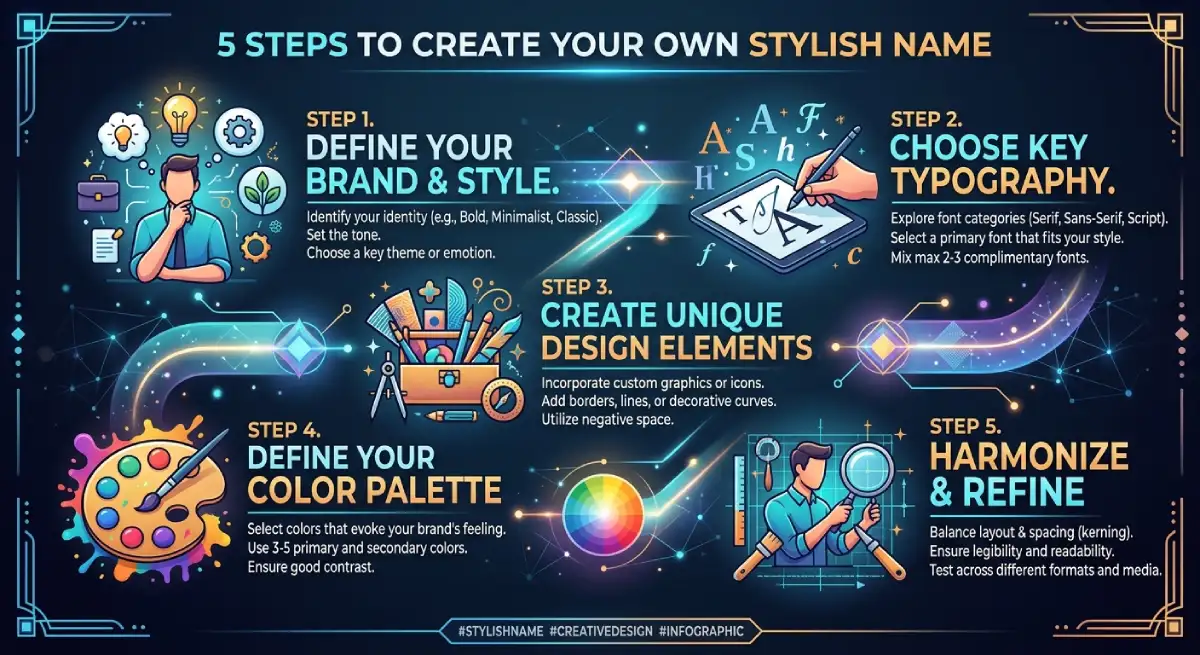
You do not need design skills. Follow these steps.
Start with your base name. Use your real name, nickname or brand.
Pick a mood. Decide if you want cute, bold, calm or funny.
Choose a text style. Use a fancy text generator or a font changer tool.
Add one or two symbols. Stars, crowns and brackets work well.
Preview before saving. Check how it looks on your phone and on a friend’s phone.
Most free tools convert normal letters into Unicode characters. You type once, review the list, copy your favorite, and paste it into your profile.
Where Can You Use Stylish Names?
Most major platforms accept Unicode text, but results can vary. Always test first.
Instagram: Works well in bio and display name.
WhatsApp: Fine for About and status text.
Facebook: Allowed in most name fields, though rules on real names apply.
Gaming apps: Popular for PUBG, Free Fire and Discord tags.
Google account: Display name can be styled, but the email address cannot be changed after creation.
Common Mistakes to Avoid
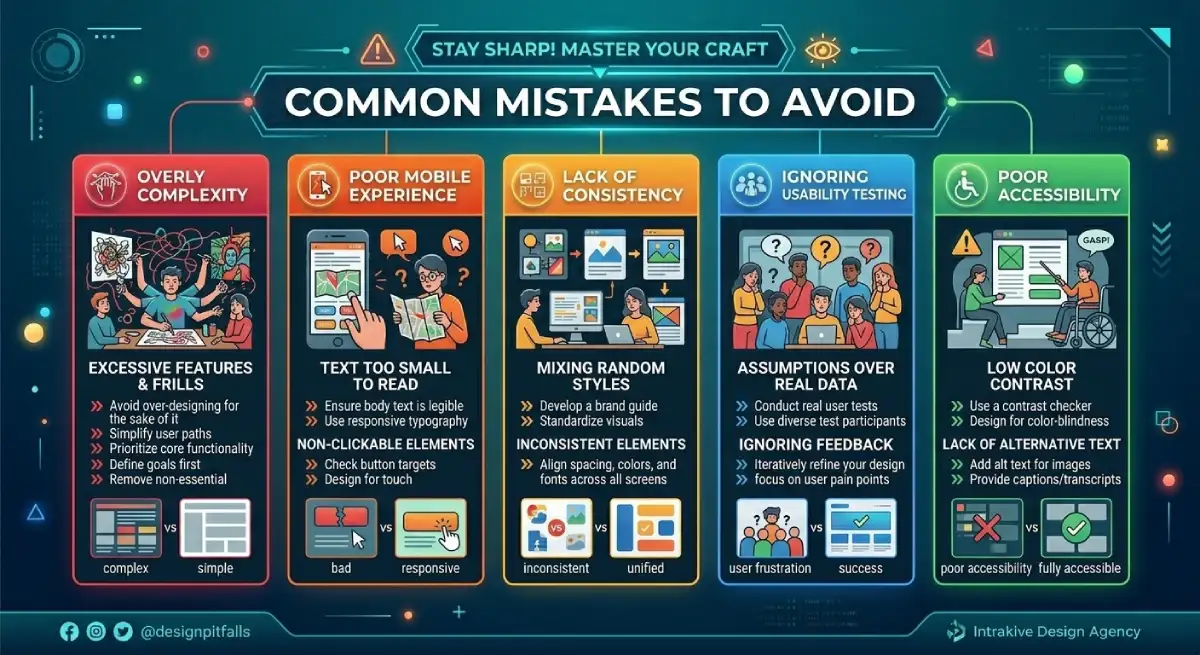
Fancy text can backfire if you overdo it. Here is what to watch for:
Poor readability: Some styles break on older phones and show empty boxes.
Search problems: Styled names are harder to search, so keep a plain version in your username.
Screen reader issues: Decorative characters can be read out loud letter by letter, which hurts accessibility.
Password misuse: Never use styled text for passwords or login details.
A good rule is to style your display name and bio, but keep your @username simple and searchable.
Conclusion
A “welcome to my profile” stylish name is a small detail with a big effect. It shapes how people see you in the first few seconds.
Pick a style that fits your personality, keep it short, and test it on different devices. Use the ideas above as a starting point, then add your own twist. When your name feels like you, visitors will remember it.
FAQs
What is a stylish name for a profile?
It is a name written with decorative Unicode letters, symbols or emojis. It makes your display name or bio look more unique.
How do I make a stylish “welcome to my profile” text?
Type your text into a fancy text generator, choose a style, and copy the result. Then paste it into your bio or name field.
Are stylish names free to use?
Yes, most online fancy text tools are free. You only copy and paste the characters.
Will stylish names work on every platform?
Not always. Most apps support them, but some devices may show boxes instead of letters, so always preview first.
Can I use a stylish name as my username?
It is better not to. Keep your username plain for search and tagging, and style only the display name.
How long should a stylish profile name be?
Aim for under 15 characters in the name field. Short names are easier to read and remember.

Emma Carter is a social media content writer and Instagram enthusiast who loves creating creative, stylish, and unique bio ideas. She helps Instagram users find the perfect words to express their personality, mood, style, and vibe.
At Bios4IG, Emma shares fresh Instagram bio ideas, captions, and profile inspiration designed to make your Instagram profile stand out.





No Comment! Be the first one.