



Instagram Username: Rules, Ideas and How to Change It
Your Instagram username is the first thing people see. It shows up in search, in comments, in DMs, and in your profile link. A weak one is hard to remember. A strong one makes you easy to find.
Table Of Content
- Instagram Username: Rules, Ideas and How to Change It
- What Is an Instagram Username?
- Username vs. Display Name
- Instagram Username Rules You Must Follow
- How to Choose a Good Instagram Username
- What If Your Username Is Not Available?
- How to Change Your Instagram Username
- On the Instagram App (iPhone and Android)
- On a Computer or Mobile Browser
- What Happens When You Change Your Username?
- Can You Go Back to the Old Username?
- Common Problems and Fixes
- Conclusion
- Frequently Asked Questions (FAQs)
This guide covers the exact rules, a simple way to choose a good handle, and the steps to change it. It also explains what happens to your followers when you do.
What Is an Instagram Username?
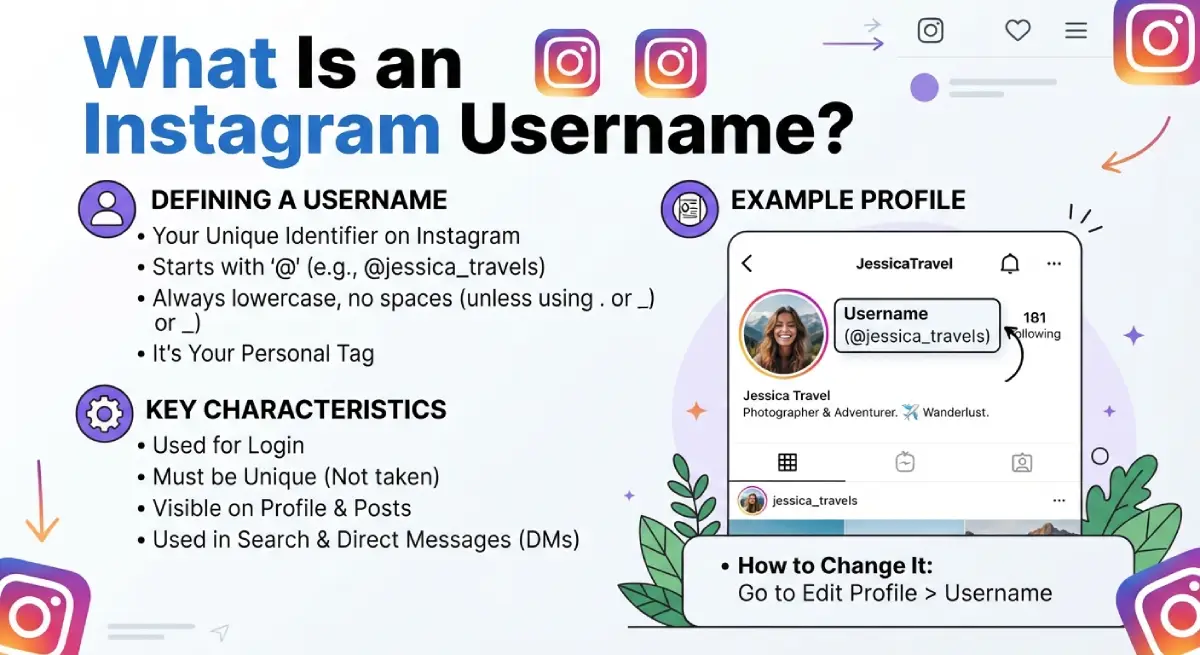
An Instagram username (also called your Instagram handle) is the unique name that starts with the @ symbol. It is also your login ID and the end of your profile URL: instagram.com/yourusername.
No two accounts can share the same username. That is why your dream name is often already taken.
Username vs. Display Name
Many people mix these up. They are two separate fields on the Edit profile page.
| Feature | Username (Handle) | Display Name |
|---|---|---|
| Must be unique | Yes | No |
| Max length | 30 characters | 30 characters |
| Allowed characters | Letters, numbers, periods, underscores | Letters, spaces, emojis, special characters |
| Appears in profile link | Yes | No |
| Used for search | Yes | Yes |
Your display name has its own change limit (commonly twice within 14 days), so choose it with care too.
Instagram Username Rules You Must Follow
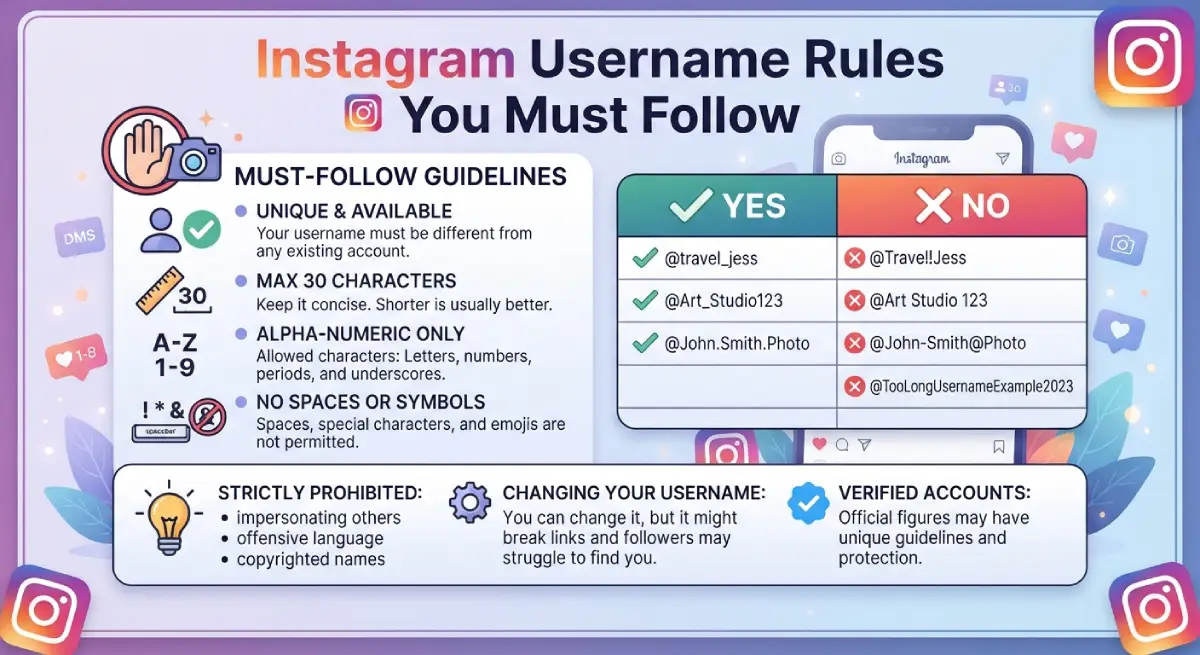
Instagram rejects a name that breaks the rules before it even checks if it is free. Keep these in mind:
Use 30 characters or fewer.
Use only letters, numbers, periods (.) and underscores (_).
Do not use spaces, emojis, or symbols like @, #, or !.
Avoid awkward period placement, such as two periods in a row.
Do not copy or impersonate another person or brand.
Fancy fonts also do not work in usernames. They only work in the display name or bio.
How to Choose a Good Instagram Username
A good handle is short, easy to say out loud, and easy to spell. Test it by telling it to a friend. If they must ask you to repeat it, rethink it.
5 Quick Tips
Keep it short. Fewer characters mean fewer typing mistakes.
Use your name or brand. People search for names they already know.
Add a niche word if needed. For example, anna.bakes tells people what you do.
Avoid too many numbers and underscores. They look messy and are hard to remember.
Match other platforms. One handle across TikTok, YouTube, and X builds recognition.
What If Your Username Is Not Available?
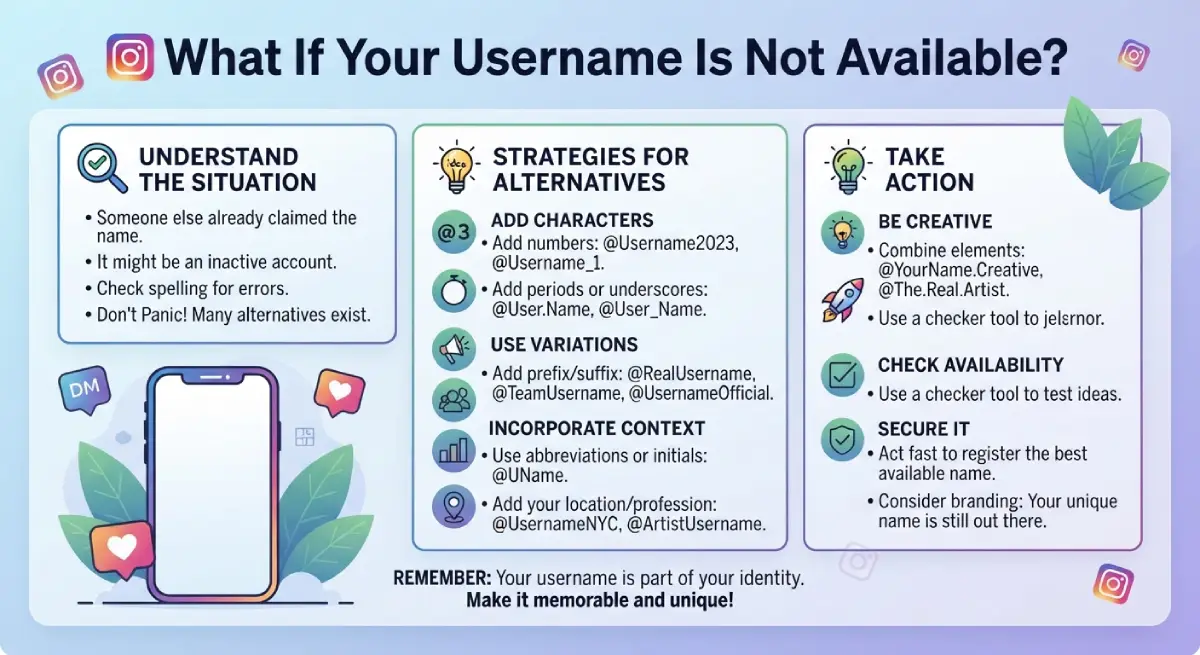
Instagram will tell you when a name is taken. Try these fixes instead of adding random numbers:
Add a period or underscore between words.
Add a short keyword like official, studio, or hq.
Use your city, hobby, or profession.
Flip the order of your words.
The only certain way to check availability is to type the name into Edit profile → Username. Instagram answers right away.
How to Change Your Instagram Username
You can do it on the app or on the web in under two minutes.
On the Instagram App (iPhone and Android)
Open Instagram and tap your profile picture in the bottom right.
Tap Edit profile.
Tap the Username field.
Type your new username.
Tap Done (or the checkmark) to save.
On a Computer or Mobile Browser
Go to instagram.com and log in.
Open your profile and click Edit profile.
Enter the new name in the Username field.
Click Submit.
If the name is free and follows the rules, it saves instantly.
What Happens When You Change Your Username?
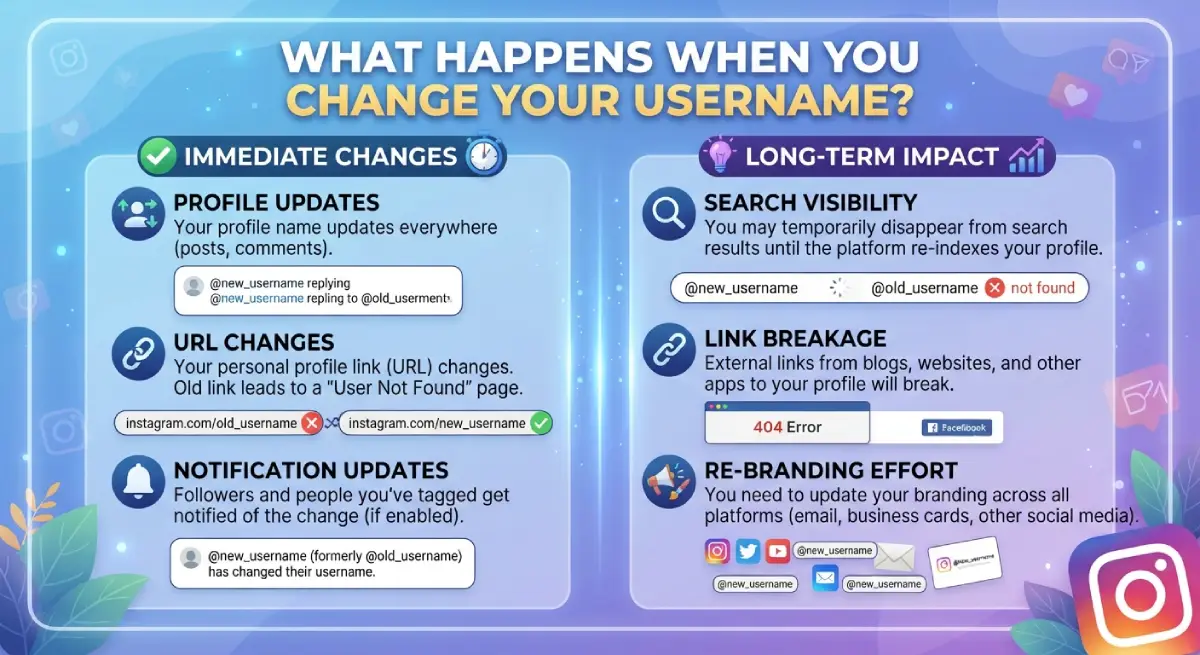
Changing your handle does not reset your followers, posts, or likes. Only the @name and your profile link change. Still, a few things can break.
| What changes | What stays the same |
|---|---|
| Profile link (URL) | Followers and following |
| Old @mentions and tags may stop working | Posts, Reels, and Stories |
| Links in bio or on other sites | Account ID and settings |
| Your old name becomes free for others | Display name (unless you edit it) |
Can You Go Back to the Old Username?
Usually yes. Instagram lets you switch back within 14 days if nobody else has taken it. After that, the old name is released, and anyone can claim it.
Common Problems and Fixes
“This username isn’t available.” Someone already owns it, or another user recently changed away from it and is still in their 14-day window. Try again later or add a small variation.
Username will not save. Check for spaces, symbols, or a name over 30 characters. Also confirm you have a stable internet connection.
Can’t change it right now. Instagram may limit repeated changes in a short time. Wait a few days and try again.
Conclusion
Your Instagram username works like a shop sign. Keep it short, clear, and consistent with your name or brand. Follow the character rules, check availability inside the app, and update your links if you ever change it.
Take five minutes today to review your handle. If it is hard to spell or remember, now is a good time to fix it.
Frequently Asked Questions (FAQs)
How many characters can an Instagram username have?
An Instagram username can have up to 30 characters. It can include letters, numbers, periods, and underscores only.
Can I use emojis or spaces in my Instagram username?
No. Usernames do not allow spaces, emojis, or special symbols. You can use emojis in your display name instead.
Will I lose followers if I change my username?
No. Your followers, posts, and likes stay the same. Only your @handle and profile link change.
Can I get my old Instagram username back?
Yes, within 14 days of changing it, as long as nobody else has taken it. After that, it becomes available to everyone.
What is the difference between a username and a display name?
A username is your unique @handle and login ID. A display name is the name shown on your profile, and it does not have to be unique.
How do I check if an Instagram username is available?
Type it into Edit profile → Username in the app. Instagram will tell you right away if it is taken.

Emma Carter is a social media content writer and Instagram enthusiast who loves creating creative, stylish, and unique bio ideas. She helps Instagram users find the perfect words to express their personality, mood, style, and vibe.
At Bios4IG, Emma shares fresh Instagram bio ideas, captions, and profile inspiration designed to make your Instagram profile stand out.




No Comment! Be the first one.