




Instagram Name Font Style for Girl: Cute Ideas (2026)
Your name is the first thing people see on your profile. A stylish Instagram name font style for girls can make it look neat, feminine, and easy to remember. The good news? You can do it in under a minute, and it costs nothing.
Table Of Content
- Instagram Name Font Style for Girl: Cute Ideas (2026)
- What Is an Instagram Name Font Style?
- Best Instagram Name Font Styles for Girls
- Cursive and Script Fonts
- Small Caps and Bold Fonts
- Bubble and Gothic Fonts
- How to Change Your Instagram Name Font
- Tips to Choose the Right Font Style
- Font Style Ideas by Profile Type
- Common Mistakes to Avoid
- Frequently Asked Questions
- Conclusion
This guide covers the best font styles, where they work, and the mistakes to avoid.
What Is an Instagram Name Font Style?
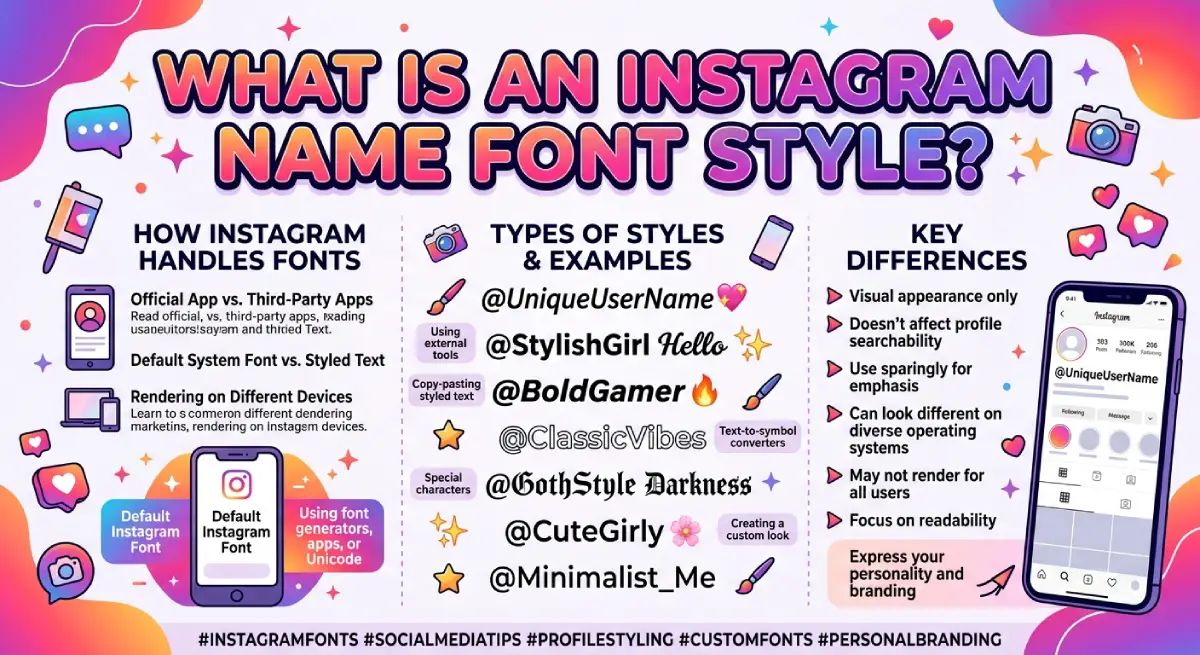
Instagram does not let you pick a custom font. What you see online are Unicode characters that look like fancy lettering. A font generator converts your plain text into these symbols, and you copy and paste the result.
Quick facts:
Styles work in the name field, bio, captions, and comments.
Your @username stays plain. It only accepts letters, numbers, periods, and underscores.
The styled text looks the same on iPhone and Android in most cases.
Best Instagram Name Font Styles for Girls
Here are popular styles, shown with the sample name “Aisha.”
| Style | Example | Vibe | Best For |
|---|---|---|---|
| Bold script (cursive) | 𝓐𝓲𝓼𝓱𝓪 | Elegant, soft | Personal and lifestyle accounts |
| Bold sans | 𝗔𝗶𝘀𝗵𝗮 | Clean, confident | Creators and students |
| Small caps | ᴀɪꜱʜᴀ | Minimal, modern | Fashion and aesthetic pages |
| Gothic | 𝔄𝔦𝔰𝔥𝔞 | Edgy, dramatic | Attitude profiles |
| Fullwidth | Aisha | Trendy, airy | Y2K and moodboard accounts |
| Bubble | Ⓐⓘⓢⓗⓐ | Cute, playful | Casual and friends-focused profiles |
Cursive and Script Fonts
Cursive is the most loved choice for girls. It feels handwritten, graceful and works well for short names.
Small Caps and Bold Fonts
These are easier to read. If your audience finds you through search or tags, pick one of these.
Bubble and Gothic Fonts
Both are eye-catching, but they can look heavy. Use them only if they match your feed.
How to Change Your Instagram Name Font
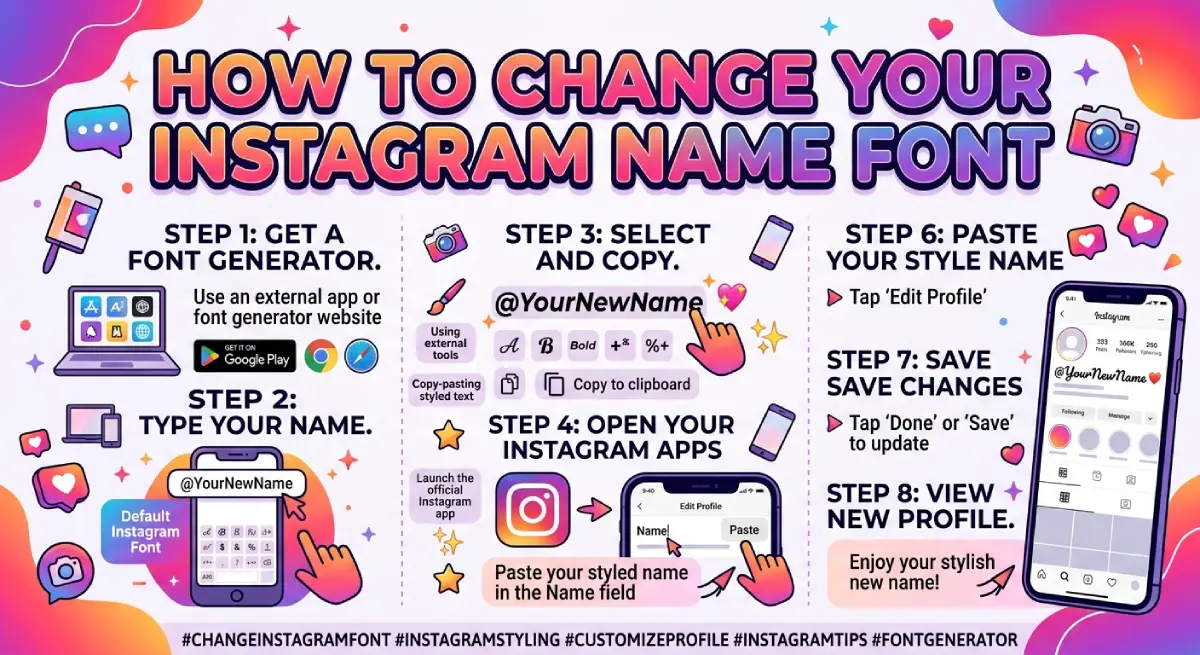
Follow these steps:
Open any free Instagram font generator.
Type your name in the text box.
Scroll through the styles and pick one you like.
Tap Copy.
Open Instagram and go to Edit Profile.
Paste the text into the Name field and save.
If the text turns into boxes or disappears, switch to a more common style such as bold or cursive.
Tips to Choose the Right Font Style
Match your feed. Pastel and soft photos suit cursive. Bold, dark feeds suit gothic or bold sans.
Keep it short. Fancy fonts look best on one name or one key line.
Mix carefully. Style your name, then keep the rest of your bio plain.
Check on a phone. Preview your profile before you finish.
Add a keyword. Keep a plain version of your name or niche in your bio so people can still find you.
Font Style Ideas by Profile Type
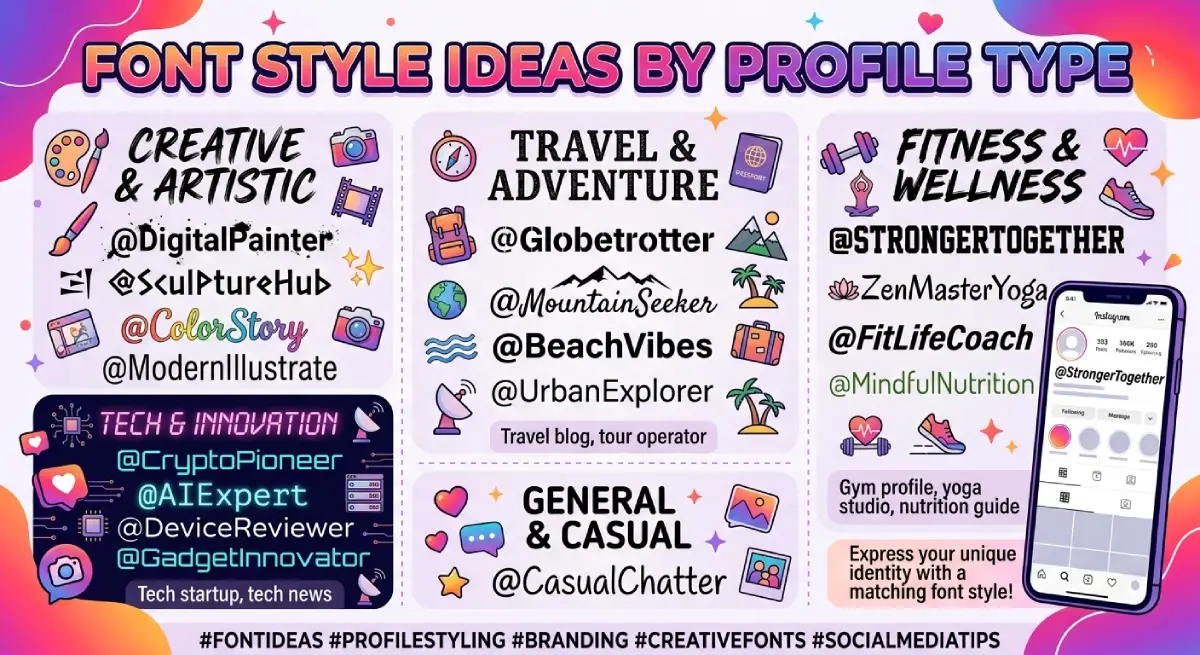
Not sure where to start? Use this as a shortcut:
Fashion and beauty: small caps or fullwidth for a clean, premium look.
Student or personal profile: cursive for a soft, friendly feel.
Content creator or influencer: bold sans so your name stays clear in small previews.
Business or boutique: bold script, with a plain keyword like “makeup artist” in the bio.
Whatever you pick, stay consistent. People remember a profile that looks the same across the name, bio and highlights.
Common Mistakes to Avoid
Styling the whole bio, which makes it hard to read.
Using rare symbols that may not show on older phones.
Expecting a styled name to appear when someone searches the plain spelling.
Changing fonts too often, which weakens recognition.
Frequently Asked Questions
Can I use a font style in my Instagram username?
No. The username accepts only letters, numbers, periods and underscores. Fonts work in the name field.
Are Instagram font styles free?
Yes. Most online generators are free and work with simple copy and paste.
Do fancy fonts hurt my reach?
There is no proof they do. Still, a styled name is a different text string, so keep a plain keyword in your bio.
Which font style is best for girls?
Cursive and bold script are the most popular. Choose the one that matches your feed and stays readable.
Why is my styled name not showing?
The style may not be supported on your device. Try bold or cursive and save again.
Conclusion
The right Instagram name font style for a girl is simple: readable, consistent, and true to your personality. Start with cursive or bold, preview it on your phone, and keep your username clean. Small touches like this make your profile look polished without extra effort.

Emma Carter is a social media content writer and Instagram enthusiast who loves creating creative, stylish, and unique bio ideas. She helps Instagram users find the perfect words to express their personality, mood, style, and vibe.
At Bios4IG, Emma shares fresh Instagram bio ideas, captions, and profile inspiration designed to make your Instagram profile stand out.





No Comment! Be the first one.