




Instagram Font Style Names: Complete List for Stories, Bio & Captions
You open a Story, tap the text tool, and see a row of fonts with names you barely recognise. Which one is “Modern”? What does “Editor” look like? And how do people get those fancy letters in their bio?
Table Of Content
- Instagram Font Style Names: Complete List for Stories, Bio & Captions
- What Are Instagram Font Style Names?
- Fancy Instagram Font Style Names for Bio and Captions
- How to Change the Font on Instagram Stories
- How to Get Fancy Fonts in Your Instagram Bio
- How to Choose the Right Font Style
- Common Mistakes to Avoid
- Conclusion
- Frequently Asked Questions
This guide answers all of it. You will get the full Instagram font style name list, a simple way to use each one, and a few mistakes worth avoiding.
What Are Instagram Font Style Names?
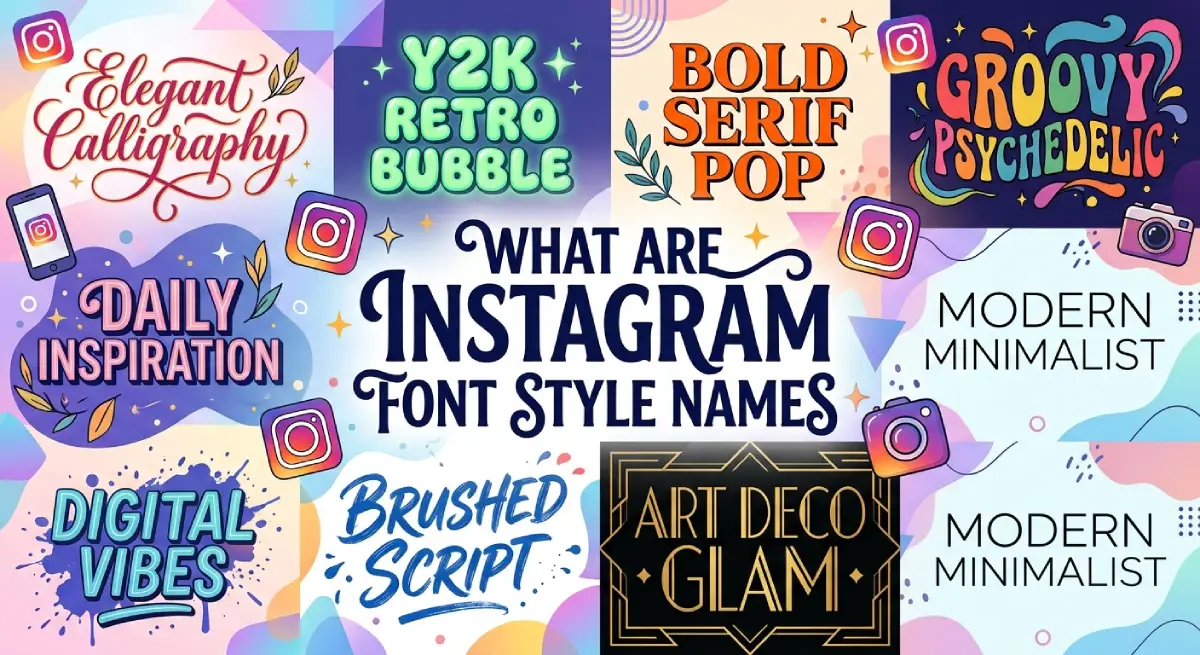
An Instagram font style name is the label Instagram gives to a text style inside the Stories and Reels editor. Examples include Classic, Modern, Neon, and Typewriter.
There is a second meaning, too. Many people use the phrase for “fancy fonts” in their bio, like bold, script, or gothic text. Those are not real fonts. They are Unicode characters that look like styled letters.
Here is the quick difference:
Built-in fonts: Chosen inside the Story or Reel text tool.
Fancy text: Created with a generator, then copied and pasted.
For its own interface, Instagram uses system fonts on phones, such as San Francisco on iPhone and Roboto on Android. That is why bio and caption text always looks the same.
Fancy Instagram Font Style Names for Bio and Captions
Instagram has no font picker for your bio. Generators swap each letter for a look-alike Unicode character. The result survives copy and paste because it is just text.
| Style Name | Example | Best For |
|---|---|---|
| Bold | 𝐁𝐨𝐥𝐝 | Name line, key phrase |
| Italic | 𝘐𝘵𝘢𝘭𝘪𝘤 | Soft emphasis |
| Script | 𝓢𝓬𝓻𝓲𝓹𝓽 | Beauty, wedding, lifestyle pages |
| Gothic (Fraktur) | 𝔊𝔬𝔱𝔥𝔦𝔠 | Edgy, music, streetwear |
| Bubble | ⓑⓤⓑⓑⓛⓔ | Fun, youthful profiles |
Most generators also offer upside-down, double-struck and fullwidth styles.
How to Change the Font on Instagram Stories
Follow these steps:
Open Instagram and swipe right to create a Story.
Take or select a photo or video.
Tap the Aa icon to add text.
Swipe through the font names at the bottom of the screen.
Pick a style, adjust size and colour, then tap Done.
If you only see five or six fonts, update the app.
How to Get Fancy Fonts in Your Instagram Bio
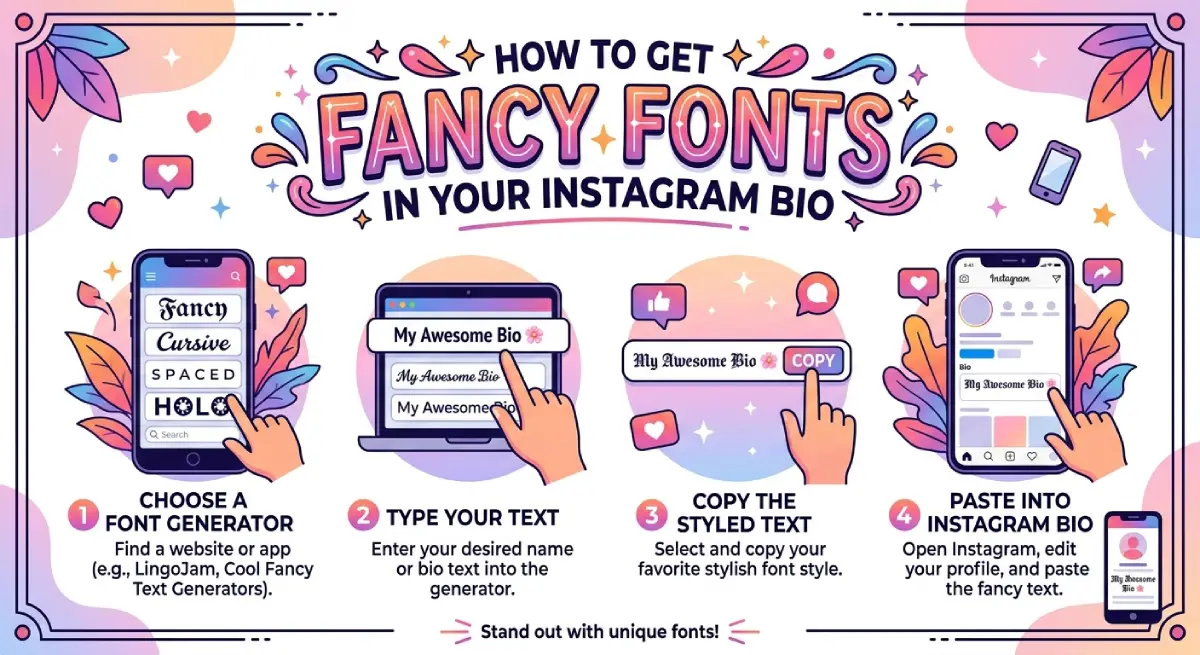
Follow these steps:
Open a fancy text generator in your browser.
Type your name or a short phrase.
Pick a style and tap Copy.
Go to Edit Profile and paste it into the Name or Bio field.
Save, then check how it looks on another device.
Your username is different. It only accepts plain letters, numbers, periods and underscores, so fancy text will not work there.
Also watch your bio length. The limit is 150 characters, and some styled characters can behave differently, so paste and check before saving.
How to Choose the Right Font Style
A good font supports your message. It should never fight it.
Match your brand: If your logo uses clean sans-serif type, Modern or Classic will feel consistent.
Think about mood: Typewriter feels personal. Strong feels confident. Literature feels refined.
Prioritise readability: Pick high contrast between text and background.
Limit your mix: Two styles per Story is plenty.
Be consistent: Repeating the same one or two fonts builds recognition over time.
Common Mistakes to Avoid
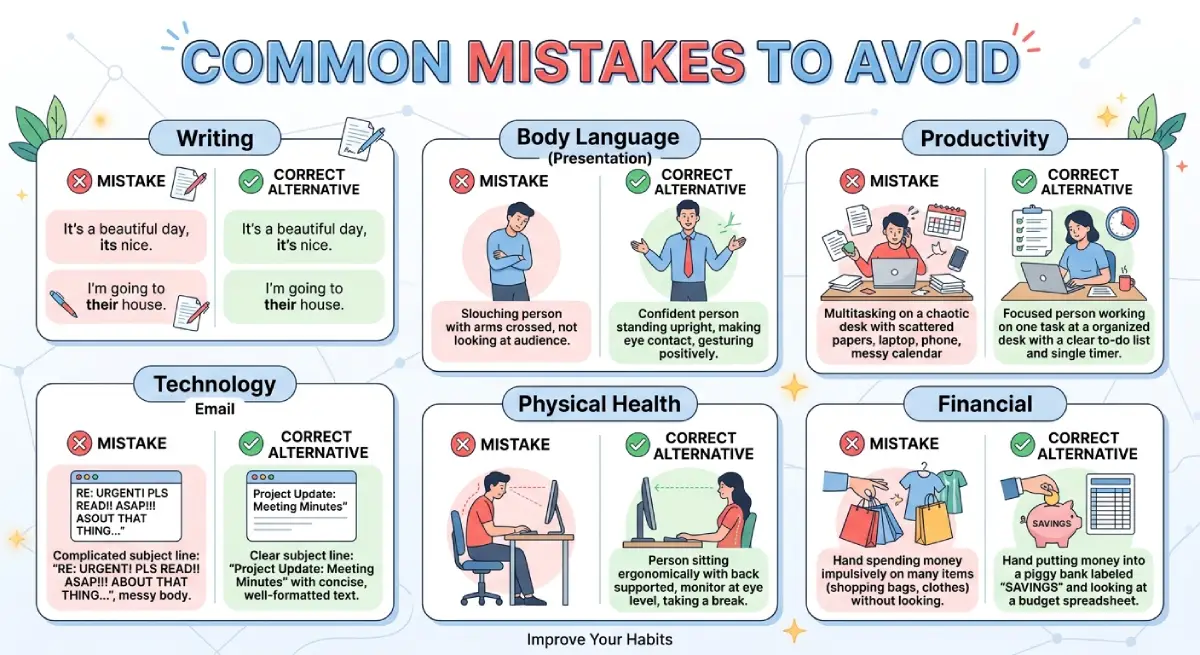
Fancy fonts look great, but they have real limits.
Styling the entire bio. Long passages in script or gothic are hard to read.
Hiding keywords in fancy text. Instagram search works on plain text. A styled word may not match what people type.
Ignoring accessibility. Screen readers often read Unicode text one character at a time, or skip it.
Accessibility guidance from universities and developers treats decorative Unicode as something to avoid in important content.
Skipping a device check. Older phones may show empty boxes for some characters.
A safer approach: Keep your name, niche, and hashtags in plain text. Use fancy styling for one decorative line only.
Conclusion
Now you know every major Instagram font style name, from Classic and Modern to Editor and Poster. You also know how fancy Unicode text differs from built-in fonts.
Use the built-in styles for Stories and Reels. Use generator text sparingly in your name or a single bio line. Keep important words plain, and test on your own phone before you post.
Small design choices add up. Pick two fonts, use them well, and your profile will look polished and intentional.
Frequently Asked Questions
What font does Instagram use?
Instagram’s interface uses system fonts, San Francisco on iPhone and Roboto on Android. Its brand identity uses a custom typeface called Instagram Sans.
What are the Instagram Story font names?
Common names are Classic, Modern, Neon, Typewriter, Strong, Editor, Poster, Literature, and Directional. Newer ones include Signature, Bubble, Deco, and Squeeze.
Can I change the font in my Instagram bio?
Not directly, because Instagram has no font picker. You can paste Unicode-styled text from a generator instead.
Why can’t I see all the Story fonts?
Font availability depends on your app version and region. Update Instagram and check again.
Are fancy Instagram fonts safe to use?
Yes, they are just text characters. Use them lightly, since screen readers and search may not handle them well.
Can I use fancy fonts in my Instagram username?
No. Usernames allow only plain letters, numbers, periods, and underscores. Use fancy text in your display name instead.

Emma Carter is a social media content writer and Instagram enthusiast who loves creating creative, stylish, and unique bio ideas. She helps Instagram users find the perfect words to express their personality, mood, style, and vibe.
At Bios4IG, Emma shares fresh Instagram bio ideas, captions, and profile inspiration designed to make your Instagram profile stand out.





No Comment! Be the first one.